





















Toca Boca Jr
Country
US
Release Date
2015-05-25 00:00:00
Price
$0.00
File Size
Varies with device
Downloads
100M+
Game Highlights
Toca Boca Jr is a creative, child-friendly collection of educational and imaginative games designed for young players. Rather than focusing on competition or high scores, the game encourages exploration, storytelling, problem-solving, and open-ended play through colorful interactive worlds.What Makes Toca Boca Jr Stand Out
Creative Learning Through Play
Children can experiment with different activities, characters, and environments without strict rules or time limits. This encourages creativity, curiosity, and independent thinking.
Kid-Friendly Design
The game features intuitive controls, bright visuals, and age-appropriate content that is easy for younger players to understand and enjoy.
Multiple Play Experiences
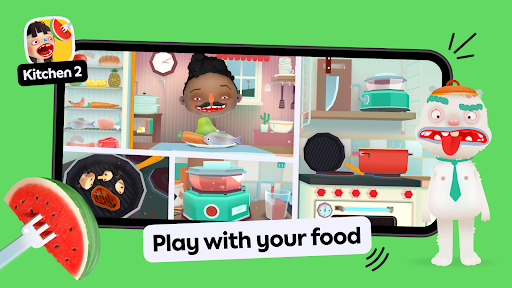
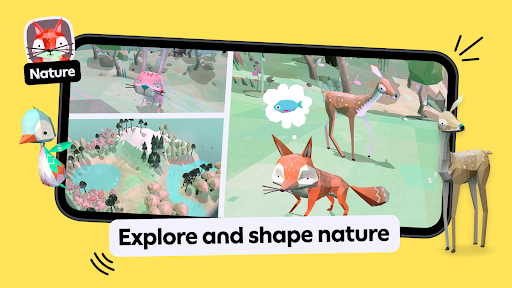
Toca Boca Jr includes a variety of mini-games and interactive activities covering topics such as creativity, daily life, science, puzzles, and imaginative storytelling.
Safe and Relaxing Gameplay
There are no complex objectives or competitive pressure. Players can learn and explore at their own pace, making it suitable for casual gaming sessions and family-friendly entertainment.
Encourages Imagination
Many activities allow children to create their own stories, experiment with different outcomes, and interact with virtual environments in unique ways.
Educational Value
While primarily designed for fun, the game also helps develop creativity, problem-solving skills, logical thinking, and basic learning concepts through hands-on interaction.
Overall Impression
Toca Boca Jr is an excellent choice for parents looking for educational games for kids, creative learning apps, and safe mobile entertainment. Its combination of imaginative gameplay, interactive activities, and child-friendly design makes it appealing for younger audiences.
Quick Start Guide
Step 1: Download and Launch the GameInstall Toca Boca Jr on your device and open the app. Allow any necessary permissions and complete the initial setup process.
Step 2: Explore Available Activities
Browse the collection of games and interactive experiences. Each activity offers different themes and learning opportunities.
Step 3: Choose Your First Adventure
Select an activity that interests you, such as creative play, puzzles, storytelling, or educational challenges.
Step 4: Learn the Controls
Most actions use simple tap, drag, and swipe gestures. Interactive tutorials and visual prompts help guide new players.
Step 5: Experiment Freely
Try different actions, interact with objects, and discover how characters and environments respond to your choices.
Step 6: Create Your Own Stories
Use characters, items, and locations to build unique scenarios and imaginative adventures. There is no single correct way to play.
Step 7: Discover More Content
Explore additional activities and revisit favorite experiences to unlock new interactions and creative possibilities.
Step 8: Enjoy Safe Family Entertainment
Play at your own pace, encourage creativity, and use the game as a fun introduction to digital learning and interactive storytelling.
Related Games



Screen Shots
◀
▶




Featured App